We're committed to making our theatre as welcoming as possible for everyone. At the Watermill we offer British Sign Integrated, Audio Described, Captioned, and Relaxed performances. To find out more please click on the left hand tabs.
We believe passionately about providing accessible performances to inspire the next generation of theatre makers and allow everyone to be seen on stage as part of the whole story.
Click here to see our accessible performance diary.
Adapted Take Part groups
All of our participation opportunities are inclusive and we can usually provide access provision like BSL interpreters. We also run regular events specifically designed to support access needs. Yes And and Ad Lib support neurodiverse and autistic children and young people. Duologue uses BSL as well as spoken English, supporting deaf and hearing young people. Interlude, Interval and Scene Change provide gentle drama activities for children, young people and adults with wellbeing needs. Fourth Wall introduces a Watermill production to adults with a learning disability.
Essential Companion Tickets
We offer free Essential Companion tickets for audience members who cannot attend without assistance. Please contact the Box Office on 01635 46044 (voice) to book or email boxoffice@watermill.org.uk
Parking
Accessible bays are located next to the building. We kindly ask you to display your Blue Badge when using these spaces.
We have six bays. Three spaces can be booked in advance by calling our Box Office team and three are available on a first come basis. Advanced booking is subject to availability.
Our main carpark is gravel and is situated a 2 minute walk to our front door. We do have an overflow carpark which is just outside our main carpark is approximately a 5 minute walk from the theatre's main entrance.
Assistance dogs
Assistance dogs are very welcome. Talk to our Box Office team and they will be able to book seats with enough space for both of you.
Hearing assistance system
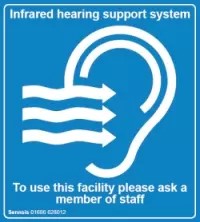
If you would like to make the onstage sound a little louder, you're welcome to borrow a personal headset that works with or without a hearing aid. You can ask for a headset on the day from the Front of House team.
If you have any questions about access at The Watermill, please contact the Box Office on 01635 46044 or email boxoffice@watermill.org.uk